
Where the list lives
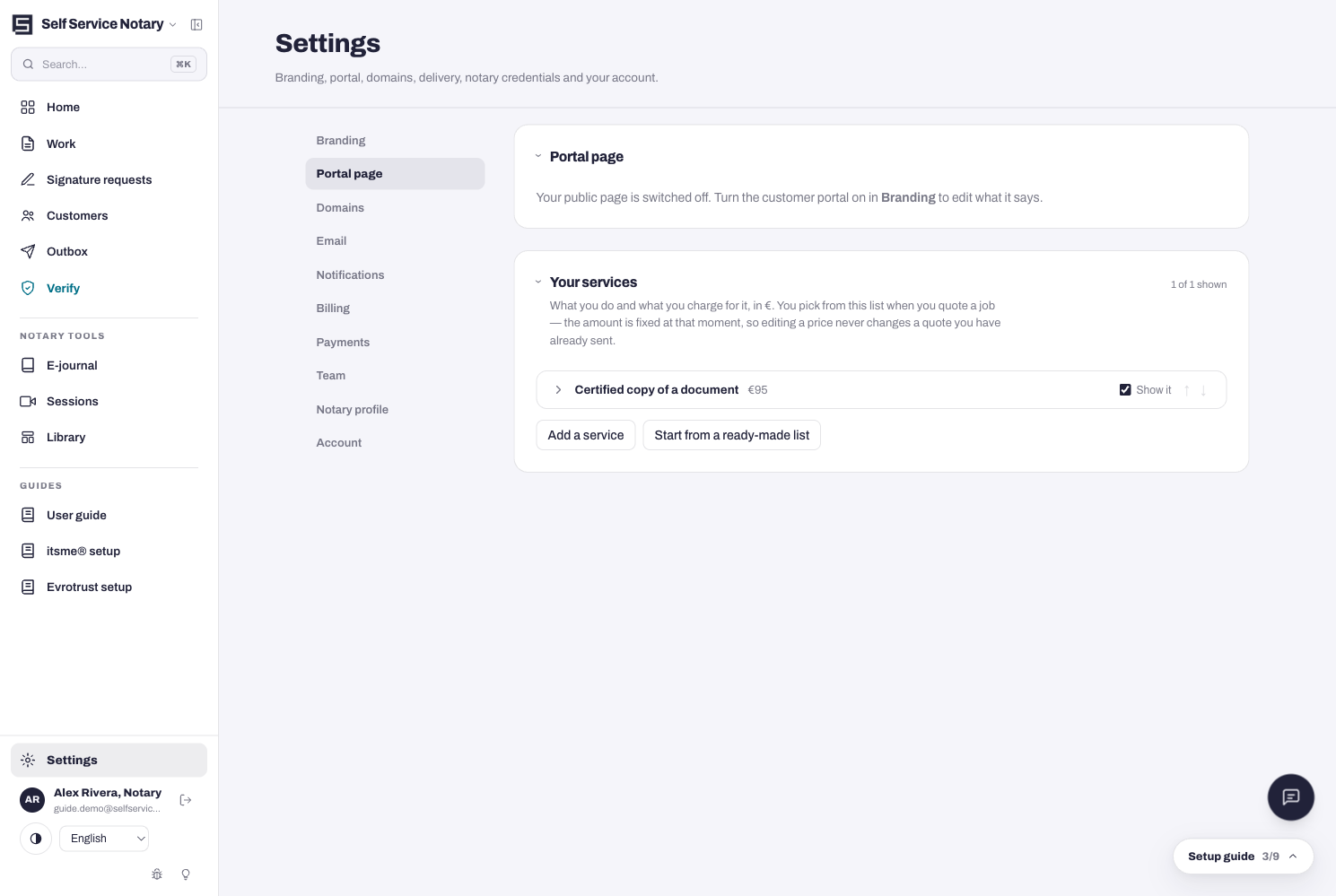
Settings → Portal page → Your services. This is the list you pick from when you quote a job — and a price is fixed at the moment you quote it, so editing a price later never changes a quote you already sent.
- Press Add a service for an empty one, or Start from a ready-made list to begin from the presets.
- Nothing is published anywhere until you choose to publish — building the list is private by default.
What each service carries
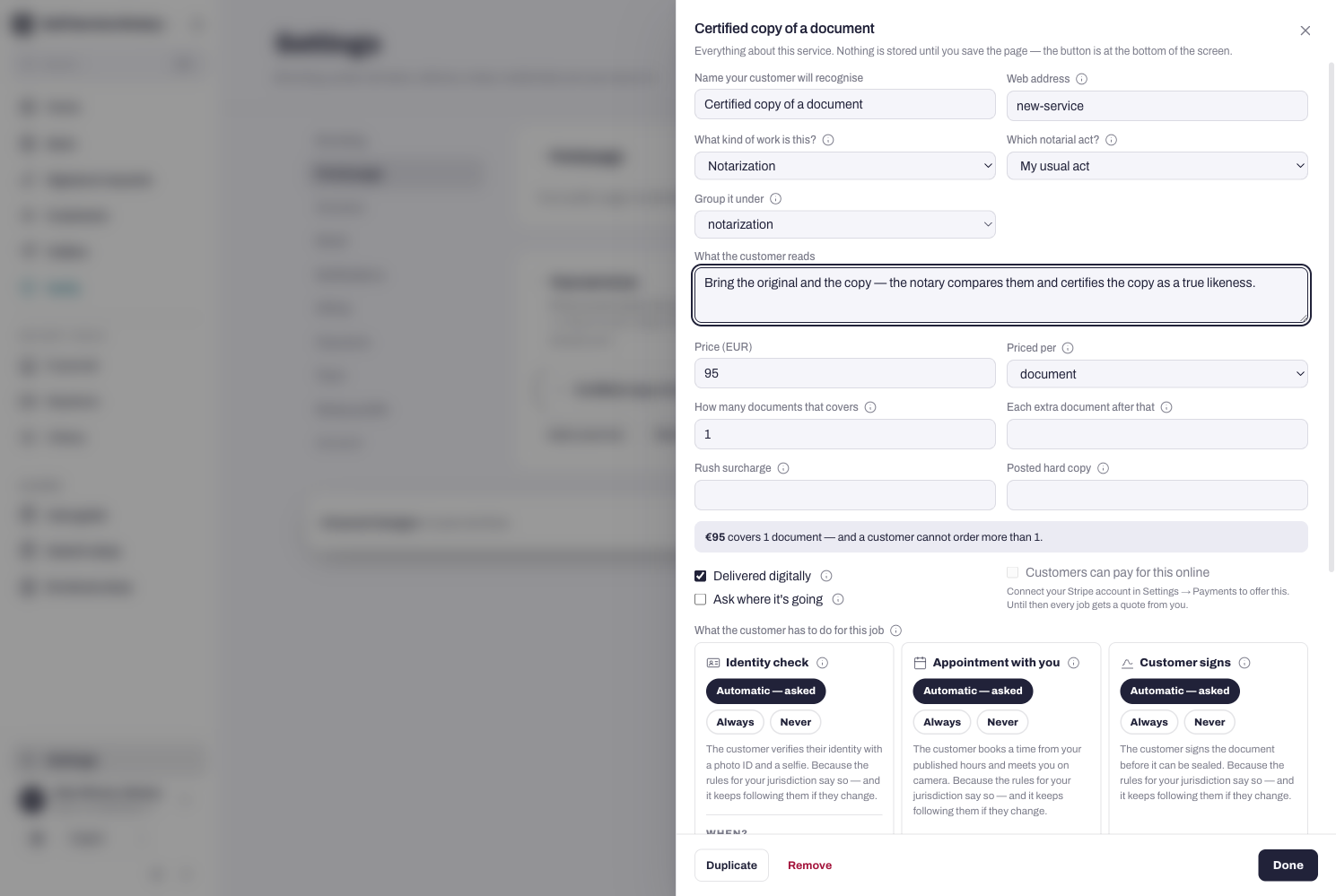
Every service opens an editor with everything a customer — and the platform — needs to know:
- Name your customer will recognise — “Certified copy of a document”, not internal shorthand.
- Web address — the slug for the service's own page.
- What kind of work is this — Certification or Notarization; and Which notarial act, where that applies.
- Group it under — the heading this service sits beneath on your public page. Display only: it changes nothing about the work or the price.
- What the customer reads — the plain-language description shown on your page.
- Price, and Priced per — per document or per page.
- Extras where the work calls for them — translation priced by language, and more.
- Duplicate makes a copy to edit; Remove deletes it. Done closes the editor; Save changes on the page bar writes everything.
Quoting locks the price
When you quote a job from this list, the amount is captured at that moment. Raise a price tomorrow and sent quotes stay exactly what they were.